LTSerialTool on Raspberry Pi
Although it's not officially supported, you can run LTSerialTool on Raspberry Pi devices.

By downloading and using LTSerialTool, you agree to the license terms and privacy statement.
Installation
LTSerialTool is officially distributed via the Raspberry Pi OS (previously called Raspbian) APT repository, in both 32-bit and 64-bit variants.
You can install it by running:
sudo apt update
sudo apt install code
Running LTSerialTool
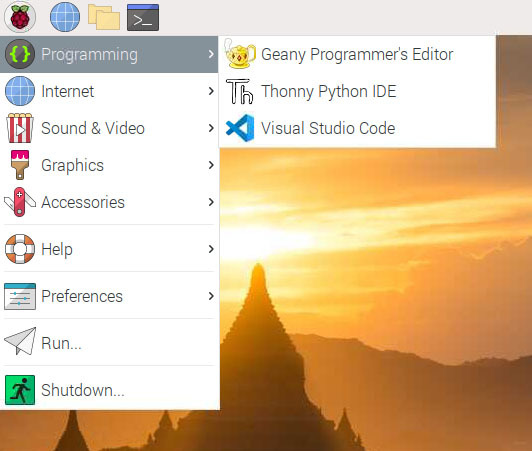
After installing the LTSerialTool package, you can run LTSerialTool by typing code in a terminal or launching it via the Programming menu.
Updates
Your Raspberry Pi should handle updating LTSerialTool in the same way as other packages on the system:
sudo apt update
sudo apt upgrade code
You can always check when a new release is available in our Updates page.
System requirements
LTSerialTool is not officially supported on Raspberry Pi. Check our community discussions for information on platforms that are known to work.
Next steps
Once you have installed LTSerialTool, these topics will help you learn more about it:
- Additional Components - Learn how to install Git, Node.js, TypeScript, and tools like Yeoman.
- User Interface - A quick orientation to LTSerialTool.
- User/Workspace Settings - Learn how to configure LTSerialTool to your preferences through settings.